Common Printer Problems and How to Fix Them
Introduction
Printers are essential devices for both home and office use, but they can sometimes be frustrating when they stop working properly. From paper jams to connectivity issues, printer problems can interrupt your workflow and waste valuable time. The good news is that many of these issues can be resolved easily with the right approach.
1. Paper Jam Issues
One of the most common printer problems is a paper jam. This usually happens when paper is not aligned correctly or when low-quality paper is used.
How to Fix:
- Turn off the printer before removing stuck paper
- Gently pull the paper out without tearing it
- Check for small pieces left inside
- Use proper paper size and quality
2. Printer Not Responding
Sometimes, the printer may not respond to commands even after sending a print job.
Possible Causes:
- Connection issues
- Outdated drivers
- System errors
Solution:
- Restart both printer and computer
- Check cable or wireless connection
- Reinstall or update drivers
3. Poor Print Quality
If your prints are faded, blurry, or have lines, it indicates print quality issues.
How to Fix:
- Clean the print head
- Adjust printer settings
- Replace or refill ink/toner if needed
- Use high-quality paper
4. Slow Printing Speed
Slow printing can reduce productivity, especially in office environments.
Fixes Include:
- Reduce print quality settings for drafts
- Clear pending print jobs
- Ensure proper driver installation
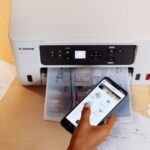
5. Connectivity Problems
Wireless printers often face connection drops or difficulty connecting to networks.
Solutions:
- Restart router and printer
- Reconnect printer to Wi-Fi
- Ensure both devices are on the same network
Conclusion
Printer problems are common but manageable. Regular maintenance and proper usage can prevent most issues. When problems persist, seeking professional help ensures your printer stays in top condition.